What Is the JFIF Format? A Technical Breakdown
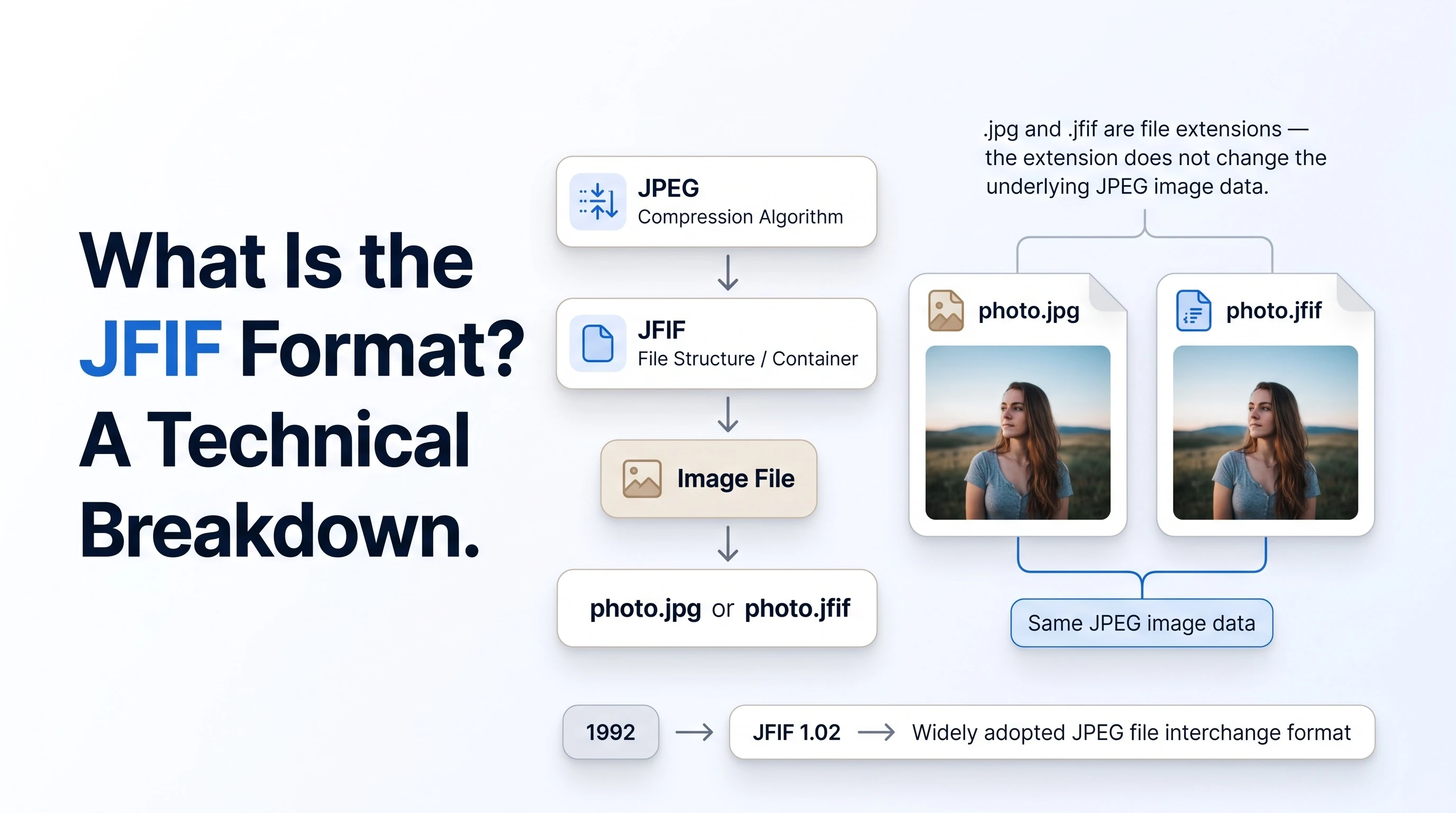
"JFIF" sounds like it should be a different image format from JPEG, and that assumption causes real confusion - people try to "convert" a .jfif file expecting some kind of transcoding to happen. It doesn't need to. JFIF is the actual container specification that ordinary JPEG files use, and understanding that explains almost everything confusing about the extension.
What JFIF Stands For
JFIF is short for JPEG File Interchange Format. It was developed by C-Cube Microsystems and released in 1992, specifically to let JPEG-compressed image data move reliably between different platforms and applications, per the Library of Congress's digital format registry entry for JFIF.
Version 1.02, released the same year, is still the version used in essentially every JFIF file today - the format has not needed a significant revision since.
JFIF vs. the JPEG Compression Algorithm
It helps to separate two different things that both get called "JPEG": the compression algorithm itself, standardized as ISO/IEC 10918, and the file container that wraps compressed data into something a program can actually open. JPEG the algorithm defines how image data gets compressed. It does not, by itself, define a complete file format - it needed a container.
JFIF was the first widely adopted answer to that gap. The Library of Congress's broader entry on the JPEG File Interchange Format family notes that JFIF was later formalized as ITU-T Recommendation T.871 and ISO/IEC 10918-5, cementing it as the de facto standard container for JPEG images.
Every plain .jpg file you've ever opened almost certainly follows the JFIF specification internally, whether or not its extension says so. See our side-by-side comparison of JFIF and JPG for how the two extensions actually compare in practice.
How a JFIF File Is Structured
A JFIF file starts with a marker segment that stores the format version, pixel density, and an optional thumbnail, immediately followed by the same compressed JPEG image data any .jpg file contains. Nothing about that structure changes based on the file extension - the extension is just a label applied by whatever software last saved the file.
Where JFIF and Exif Diverge
Modern cameras and phones typically save photos using Exif (Exchangeable Image File Format) instead of plain JFIF, since Exif can store metadata like camera settings, GPS location, and orientation that JFIF alone can't. According to Wikipedia's entry on JFIF, the two formats are technically incompatible at the header level, but most Exif-format JPEGs still include a small JFIF header ahead of the Exif data specifically for backward compatibility with software that only understands JFIF.
That's part of why a .jfif extension shows up on files that came from a browser download rather than a camera - browsers and Windows tend to apply the plainer JFIF label rather than a camera-style Exif one. Our post on why Windows and Edge save photos as .jfif covers the exact setting responsible.
What This Means for Converting a JFIF File
Because JFIF and JPEG describe the same underlying image data, "converting" a .jfif file to .jpg doesn't require decompressing and recompressing the image at all - it only requires changing the file extension and the declared MIME type. That's exactly how Instant Rename mode works on our free JFIF to JPG converter: no quality loss, because nothing about the image data changes. If you ever need the extension changed back the other way, our JPG to JFIF tool does the same thing in reverse. For the Windows-specific side of this, see how to stop Windows from saving files as .jfif, or browse the rest of the blog.