WEBP to JFIF: Turning a Modern Format Into Plain Old JPEG
A modern WEBP file occasionally needs to become the oldest, plainest image format still in common use, usually because one specific piece of software - an older upload form, a legacy image pipeline - insists on a .jfif extension and won't take anything else. It sounds like a strange downgrade, but the underlying conversion is simple: WEBP to JFIF is really WEBP to JPEG, with a less common extension attached at the end.
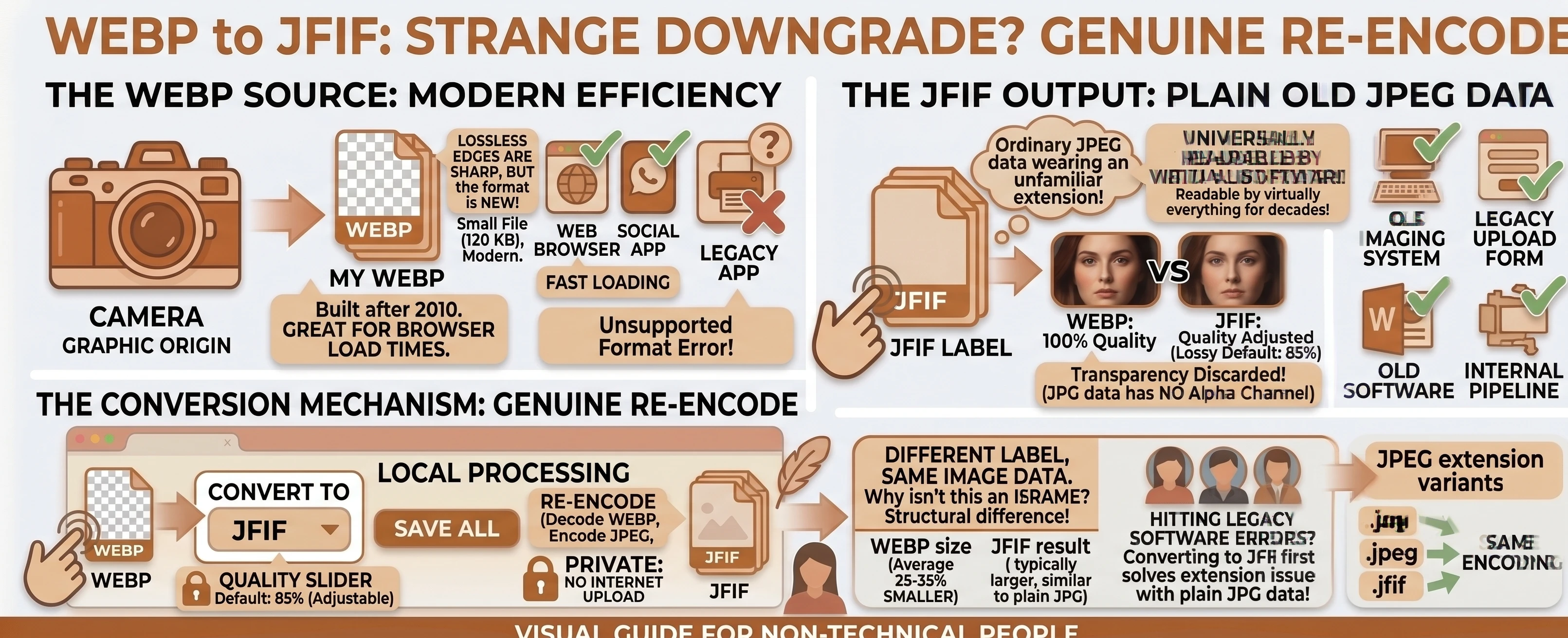
Understanding the Formats: WEBP vs JFIF
WEBP is a modern, efficient image format - but its relative youth means the occasional older system or specialized tool simply doesn't recognize it yet, which is usually the entire reason someone needs to convert away from it.
JFIF sounds equally unfamiliar, but for the opposite reason: it's not new at all, just an alternate extension for plain JPEG data that's been readable by virtually everything for decades.
JFIF Is Just JPEG With a Different Label
Our free WEBP to JFIF converter decodes the source WEBP and re-encodes it as genuine JPEG image data, then saves the output with a .jfif extension instead of .jpg. That's possible because JFIF isn't a distinct encoding target at all - per Wikipedia's entry on JFIF, it's the container specification ordinary JPEG files already use, just under a less common extension. Our technical breakdown of the JFIF format covers the history in full if you're curious why the two extensions exist at all.
Why This Isn't an Instant Rename
On our flagship JFIF to JPG tool, converting between JFIF and JPG is free - an instant, byte-for-byte relabel, since both extensions already point at identical JPEG data. WEBP is a genuinely different format, built on different compression technology that Google introduced in 2010, according to Wikipedia's entry on WebP. Converting from WEBP always requires a real decode-and-re-encode first, whichever extension the output ends up with. See the WEBP vs JFIF comparison table for the full picture, including the transparency you lose along the way, since JPEG data has no alpha channel.
Do You Actually Need .jfif, or Just JPG?
Unless a specific tool or workflow is demanding the .jfif extension by name, our WEBP to JPG converter produces identical image data with the far more universally recognized .jpg extension - MDN's image format guide still calls JPEG "the most widely used lossy compression format for still images." Reach for WEBP to JFIF specifically when something genuinely won't accept anything else.
A Common Case: An Old Imaging System That Won't Budge
Nobody picks this pairing for fun - it's almost always a specific piece of software refusing to move past whatever format list it shipped with years ago, and .jfif is what it happens to expect. Rather than tracking down a different upload path or waiting on a vendor to update their system, converting the file once solves the immediate problem.
Converting WEBP to JFIF in Your Browser
Drop or select your WEBP files, set the target format to JFIF, adjust the quality slider if needed, and convert. Everything runs locally with nothing uploaded anywhere, and multiple files convert independently or as a batch, with a combined .zip download once two or more finish.
Browse the rest of our conversion tools, or the blog for more format guides.