PNG to JFIF: Why There's No Shortcut Here
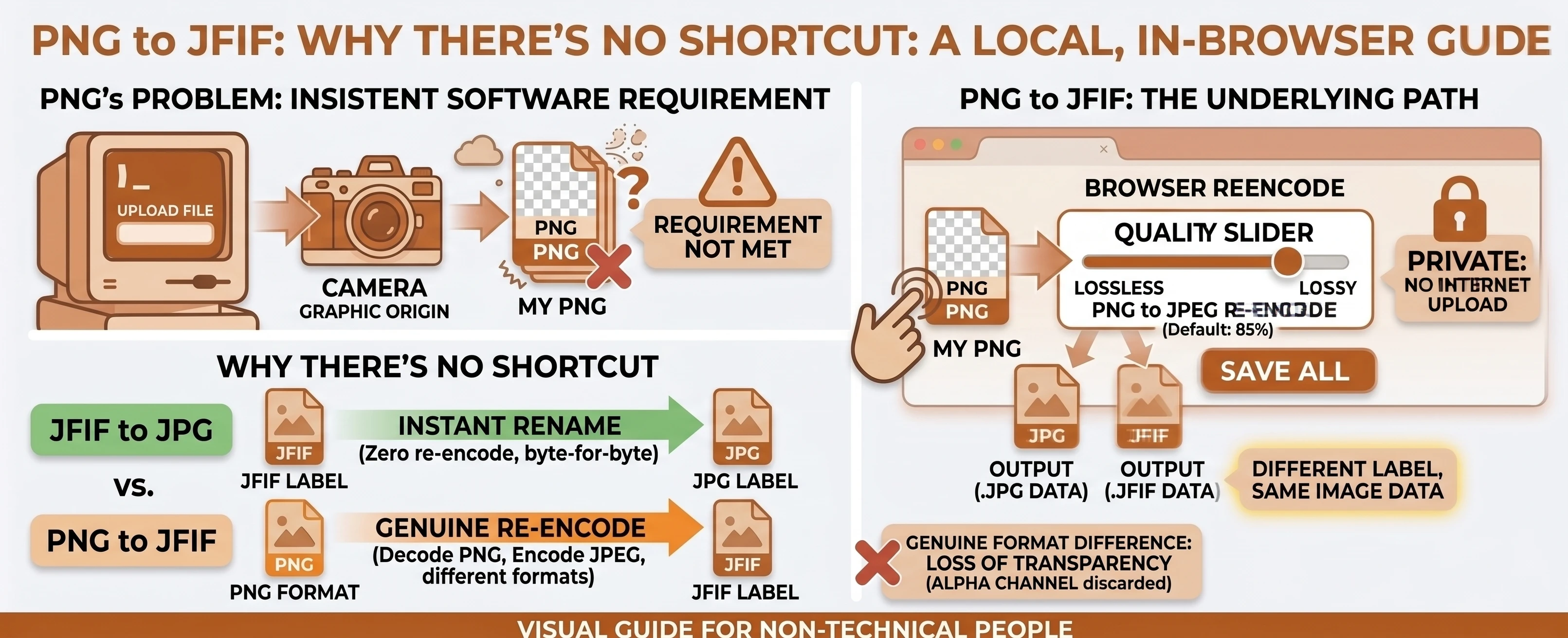
Almost nobody sets out looking for a "PNG to JFIF" converter on purpose - it's usually an app, upload form, or older piece of software insisting on a .jfif extension specifically, and a PNG is what you happen to have. The good news is the underlying conversion is simple: a .jfif file is just JPEG data with a different extension, so this is really PNG to JPEG with one extra label swapped on at the end.
Understanding the Formats: PNG vs JFIF
PNG is a lossless graphics format - nothing is thrown away when it's saved, which is why it's the default for screenshots, icons, and anything with flat color or transparency. That same losslessness is exactly why it doesn't compress as small as a photo-oriented format.
JFIF looks unfamiliar but isn't a real format of its own - it's just JPEG image data carrying a less common extension. Nothing about "JFIF" changes how the image is encoded; it only changes what the file is named at the end.
JFIF Isn't a Separate Format From JPEG
Our free PNG to JFIF converter exists for exactly that situation - see the PNG vs JFIF comparison for the full breakdown. JFIF (JPEG File Interchange Format) is the actual container specification ordinary JPEG files use - per Wikipedia's entry on JFIF, a .jfif file's image data is standard JPEG, just saved under a different extension. Our technical breakdown of the JFIF format covers the full history if you want the details - the short version is that there's no such thing as "encoding to JFIF" as a distinct process from encoding to JPEG.
Why This Is Still a Real Re-Encode
On our flagship JFIF to JPG tool, converting between JFIF and JPG is an instant, byte-for-byte rename, because both extensions already point at the same JPEG data. PNG is a genuinely different, lossless format - Wikipedia's entry on PNG describes its "full alpha transparency support," something JPEG data never has - so converting PNG to JFIF always means a real decode-and-re-encode into JPEG data first. The output just gets a .jfif extension instead of .jpg at the end, and you lose that transparency along the way.
Do You Actually Need .jfif, or Just JPG?
If nothing is specifically requiring the .jfif extension, our PNG to JPG converter produces identical image data with the more universally recognized .jpg extension instead - MDN's image format guide still calls JPEG "the most widely used lossy compression format for still images," the default almost every app, camera, and photo viewer expects. Reach for PNG to JFIF specifically when a particular tool or workflow won't accept anything else.
A Common Case: A Legacy Upload Form
This pairing tends to show up with older enterprise software, a scanning/imaging pipeline, or a form built years ago that was hard-coded to check for a .jfif extension specifically and never updated. There's rarely a good reason for that requirement beyond how the system happened to be built, but it's not something you can argue with as the person just trying to get a PNG through the door - converting is faster than filing a support ticket.
Converting PNG to JFIF in Your Browser
Drop or select your PNG files, set the target format to JFIF, and convert. The re-encode happens locally with a quality slider you control, and nothing is uploaded anywhere - multiple files convert independently or as one batch, with a combined .zip download once two or more finish.
Browse the rest of our conversion tools, or the blog for more format guides.