Best Free JFIF to JPG Converters, Compared
Search for a JFIF to JPG converter and you'll find a handful of tools that all claim to be free, fast, and simple. Most of them upload your photo to a server to do the conversion, some run ads next to the result, and a few bury the actual tool under a wall of unrelated content. Here's what genuinely differs between the common options, and what to check before you pick one.
What Actually Matters
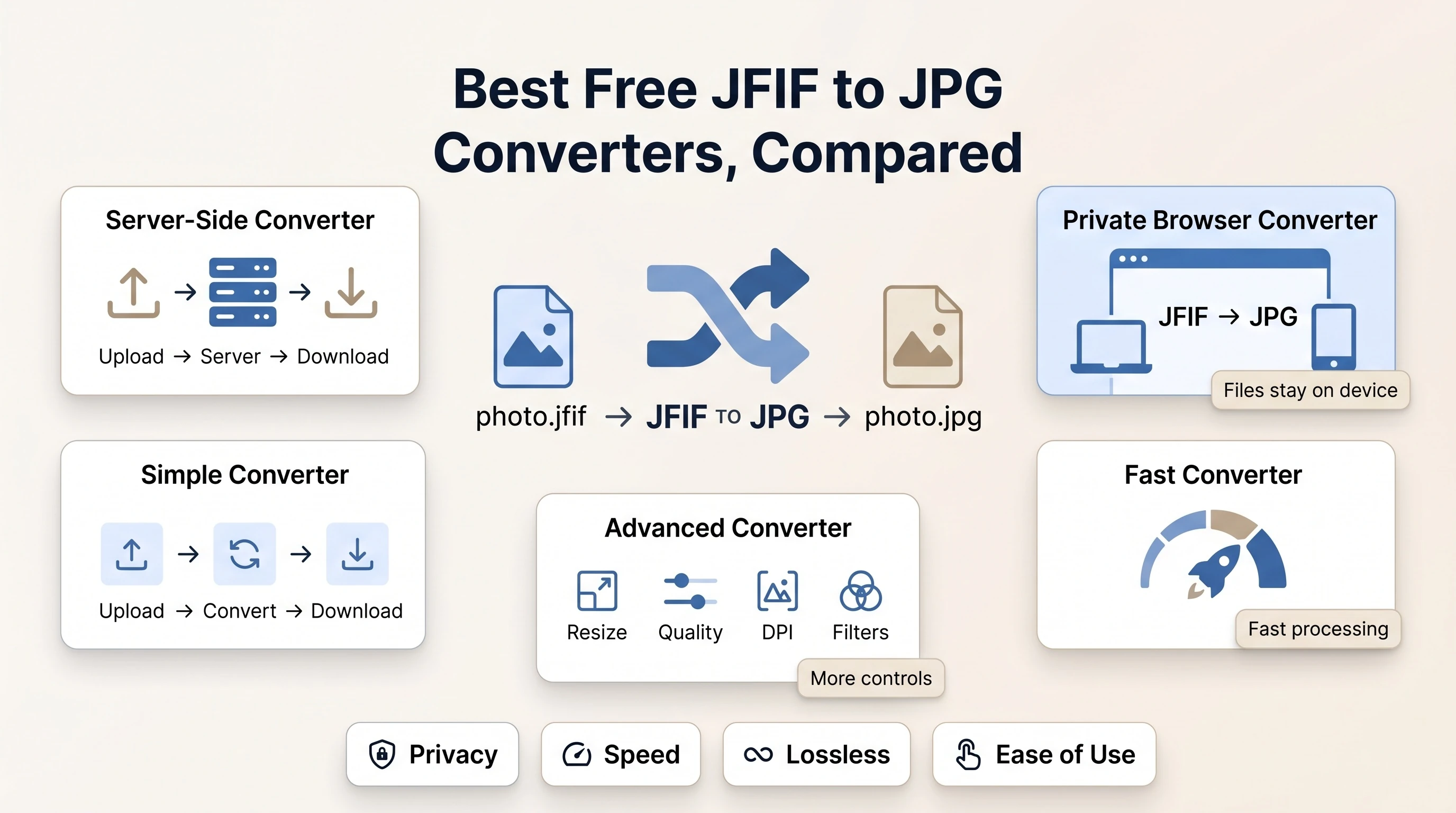
Four things separate a good JFIF to JPG tool from a mediocre one: whether your file gets uploaded anywhere, how fast the result comes back, whether the conversion is genuinely lossless when it can be, and whether the page around the tool is usable.
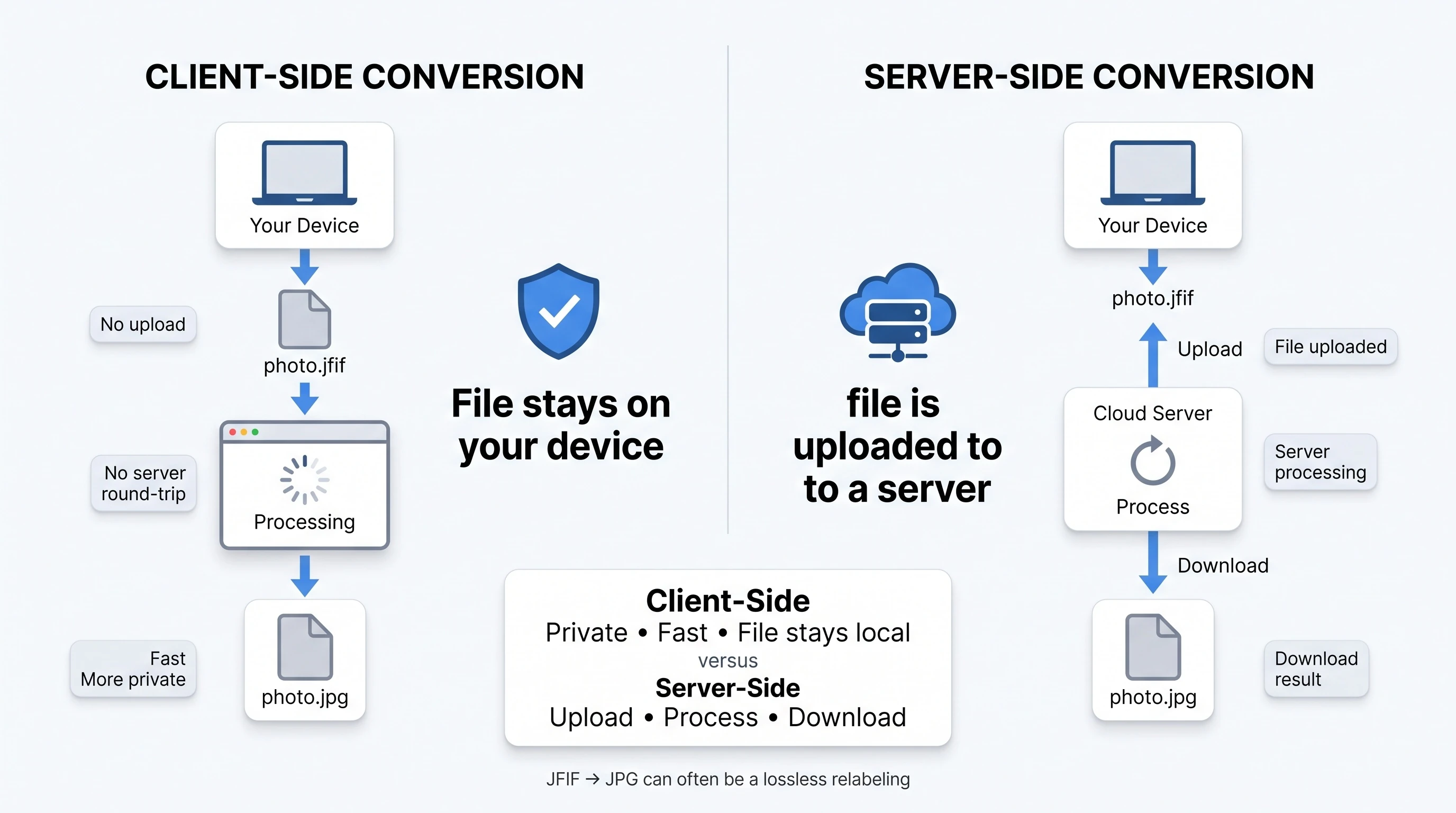
Upload matters most. A tool that processes your image entirely in the browser never sends it anywhere, which is both faster and more private than a server round-trip. That's possible because every modern browser already decodes JPEG images natively, per MDN's image format guide - no server-side library is required just to read the file.
The Common Options
CloudConvert runs the conversion server-side and keeps its page clean and minimal, though the surrounding content is thin.
FreeConvert also processes files on a server and pairs the tool with long "what is JFIF" explainer sections, but the page is padded with a large farm of links to dozens of unrelated format converters.
Picflow converts client-side, the same approach this site uses, and markets that directly with a clean feature grid and a simple three-step explanation.
Convertio is server-side with genuinely deep format explanations and a solid FAQ section, written in a dry, encyclopedic tone.
image.online-convert.com offers the heaviest feature set of the group - quality control, resizing, filters, DPI settings - but the interface is cluttered, dated, and carries display ads around the tool itself.
Why Client-Side Conversion Is Worth Choosing
Browsers can decode and re-encode images natively through the Canvas API, which is what makes a fully client-side converter possible: the image is drawn onto a canvas and read back out as a new file, without a server ever touching it. For a plain JFIF to JPG fix specifically, no re-encoding is even necessary, since a .jfif file's bytes are already valid JPEG data under a different label - see our full explanation of what JFIF actually is.
Our Take
If you just need a JFIF file relabeled as JPG - or a batch of them - without uploading anything, our free JFIF to JPG converter does that instantly, with a visible byte-for-byte comparison so you can see exactly what did and didn't change. If you specifically need resizing, filters, or DPI controls beyond that, a heavier tool like image.online-convert.com covers more ground, at the cost of a busier interface. Need the reverse direction instead? Our JPG to JFIF tool uses the same lossless approach. For more on the format itself, see what the JFIF format actually specifies, or browse the rest of the blog.