WEBP to PNG: Getting an Editable, Lossless File Back
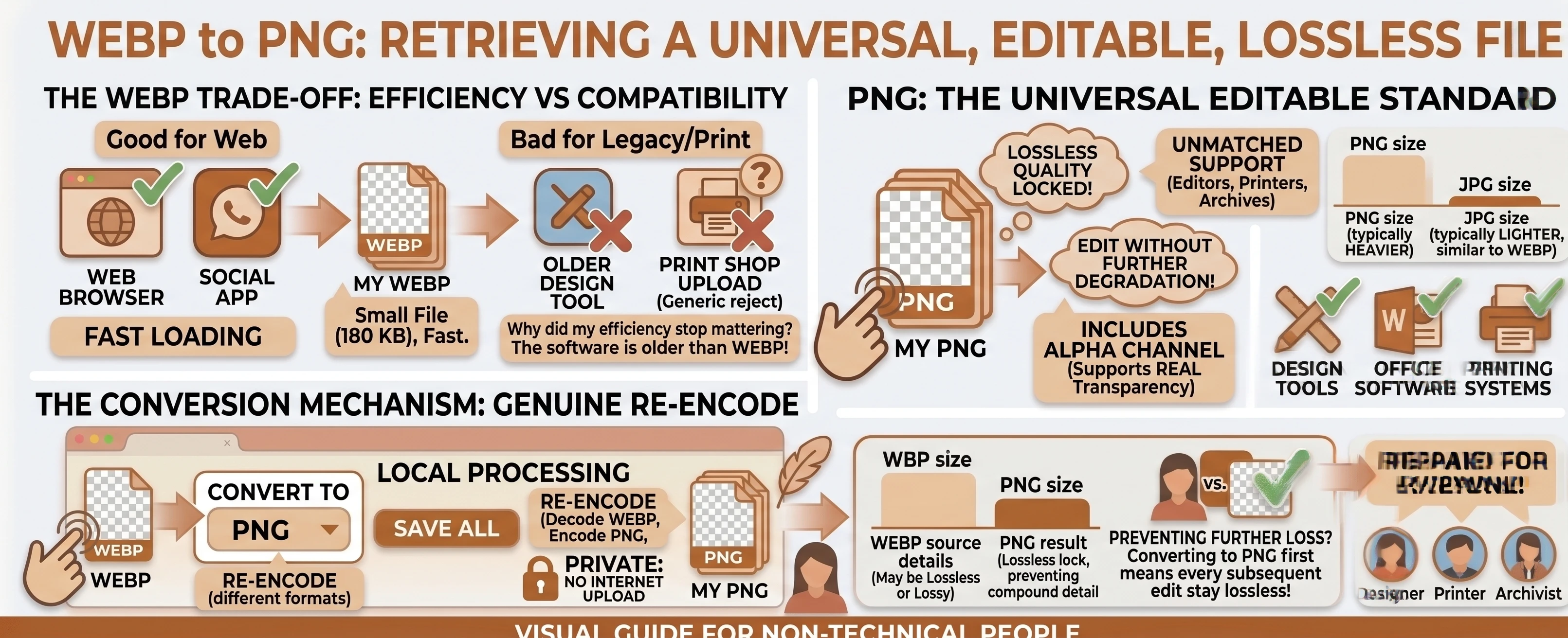
A WEBP file is efficient to store and fast to load, but the moment you need to open it in an older design tool, a print workflow, or software that simply doesn't recognize .webp yet, that efficiency stops mattering. Converting WEBP to PNG trades away that smaller file size for a lossless format that essentially every image editor, printer, and legacy tool already understands.
Understanding the Formats: WEBP vs PNG
WEBP is the newer, more efficient option for storing and delivering images online, but "newer" also means some older or specialized software simply hasn't caught up to supporting it yet.
PNG has been the standard lossless graphics format since the 1990s, which is exactly why it's the safer bet for opening an image in an editor, a print workflow, or any tool you can't be sure was updated recently.
Why Go From a Smaller Format to a Bigger One?
It seems backwards, but PNG's universal support is exactly the point. Wikipedia's history of WebP notes it only launched in 2010, whereas Wikipedia's entry on PNG traces the format back to 1996, when "the full specification of PNG was released under the approval of World Wide Web Consortium (W3C)." PNG has had far longer to become the default lossless format nearly every piece of image software supports, which matters more than file size the moment you need to actually open and edit the image somewhere.
What You Gain: Lossless, Editable Pixels
MDN's image format guide describes PNG's compression as lossless, meaning our free WEBP to PNG converter re-encodes without discarding any additional image detail beyond whatever the source WEBP already contained - if the WEBP was itself lossy, that detail is already gone and PNG can't bring it back, but nothing further is lost from this conversion. Transparency, if the WEBP has any, carries over cleanly too, since both formats support a full alpha channel. See the WEBP vs PNG comparison table for the rest of the differences.
This Is Still a Genuine Re-Encode
WEBP and PNG are different formats with different internal compression, so there's no instant rename available for this pair - the conversion always decodes the WEBP and re-encodes it as real PNG data. If keeping the file small still matters more than universal support, our WEBP to JPG converter is the better fit instead, at the cost of transparency.
A Common Case: A Design File From an Old Web Export
This pairing tends to come up when a WEBP image needs to go somewhere that predates the format entirely - an older version of a design tool, a print vendor's upload system, or an internal archive that was standardized on PNG years before WEBP existed. Converting once at the start of that workflow is simpler than fighting compatibility errors every time the file gets passed along.
Converting WEBP to PNG in Your Browser
Drop or select your WEBP files, leave the target format set to PNG, and convert. The process runs entirely in your browser with nothing uploaded, and there's no quality slider to think about since PNG output is always lossless - a batch of files can be downloaded together as one .zip once two or more finish.
Need to go the other direction? Our PNG to WEBP converter re-encodes back down to a smaller file. Browse the rest of our conversion tools, or the blog for more format guides.