WEBP to JPG: Fixing Compatibility When an App Won't Open .webp
WEBP is efficient enough that most modern browsers and photo apps handle it without a second thought, until you hit the specific piece of software that flatly doesn't - an older photo editor, a print shop's upload portal, or a form that only lists .jpg and .png as accepted types. Converting WEBP to JPG solves that instantly, at the cost of a real re-encode rather than a free relabel.
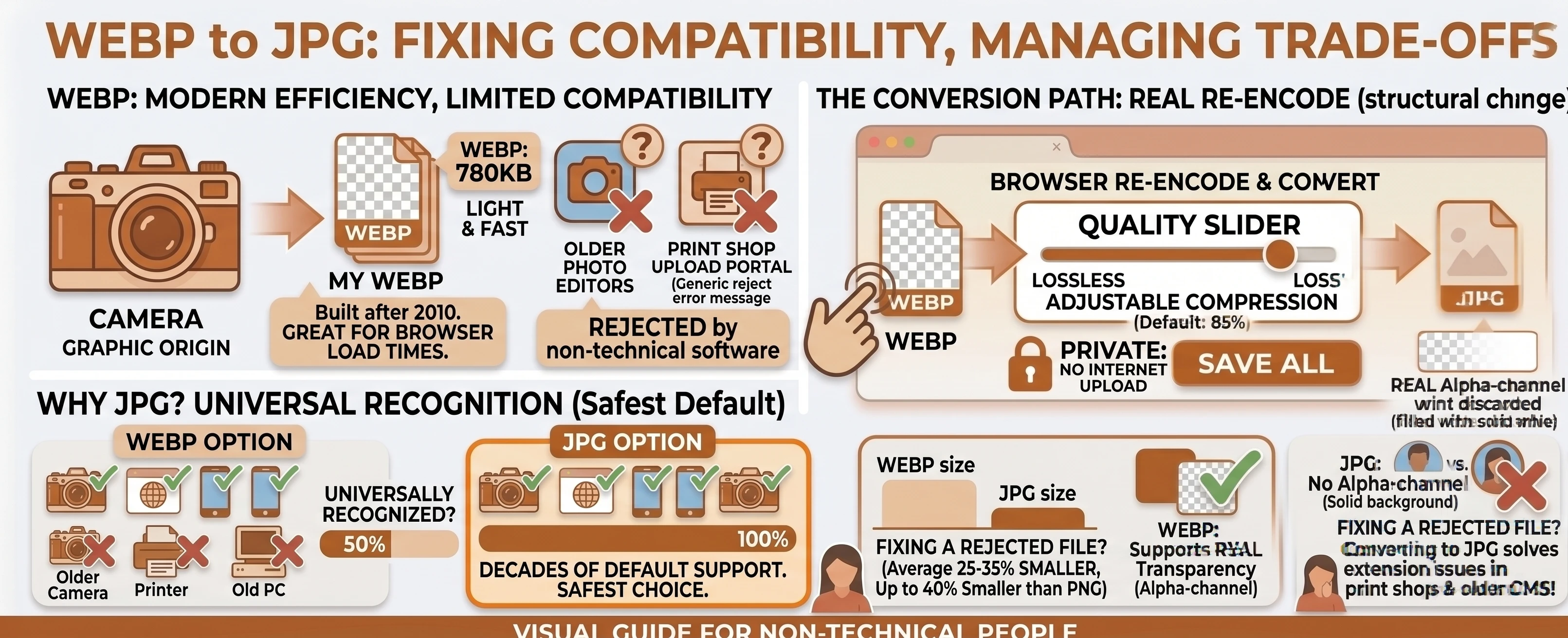
Understanding the Formats: WEBP vs JPG
WEBP is a modern format built to squeeze photographic images down smaller than older formats can manage at the same visual quality, which is exactly why sites and apps that care about load time have adopted it.
JPG is the older, far more universally recognized alternative - nearly every camera, phone, printer, and piece of software built in the last three decades knows how to open one, which is precisely the compatibility WEBP still can't fully match.
Why WEBP Sometimes Doesn't Work Everywhere
WEBP is a relatively young format - Wikipedia dates Google's original announcement to September 30, 2010, decades after JPEG became the default. Support has become close to universal in current browsers, but plenty of older desktop software, some printers' upload systems, and niche apps were built before WEBP existed or simply never added support for it. JPG remains, per MDN's own description, "the most widely used lossy compression format for still images" - the safest default when you don't know what the receiving end supports.
This Is a Real Re-Encode, Not a Relabel
Our free WEBP to JPG converter decodes the WEBP image and re-encodes it as genuine JPEG data with a quality slider you control - there's no instant rename available here, since WEBP and JPEG use entirely different compression. See the WEBP vs JPG comparison table for the full picture, including transparency: if the source WEBP has any transparent areas, they're filled with white in the JPG output, since JPEG has no alpha channel.
A Common Case: A Print Shop or Older CMS Rejecting the File
This is usually the moment someone actually searches for this conversion: a print shop's online ordering system throws an error on a .webp upload, or a content management system built years ago simply doesn't recognize the extension and refuses the file outright. There's rarely any warning beyond a generic error message, so it's easy to waste time assuming the file itself is corrupted when the format is really the only problem.
Converting WEBP to JPG in Your Browser
Drop or select your WEBP files, leave the target format on JPG, adjust quality if the default doesn't suit the image, and convert. The slider maps directly to the quality argument the Canvas API's toBlob() method accepts for JPEG output - everything happens locally, with nothing uploaded to a server, and multiple files convert independently or as a batch, with a combined .zip download once two or more finish.
Need to keep transparency instead of losing it? Our WEBP to PNG converter re-encodes into a lossless format that supports it. Going the other direction, JPG to WEBP shrinks a JPG back down. Browse the rest of our conversion tools, or the blog for more format guides.